Linktree vs ODDBOX: Link Buttons Only, or Buttons and Visuals Together?
· 1 min read · Written by Jay
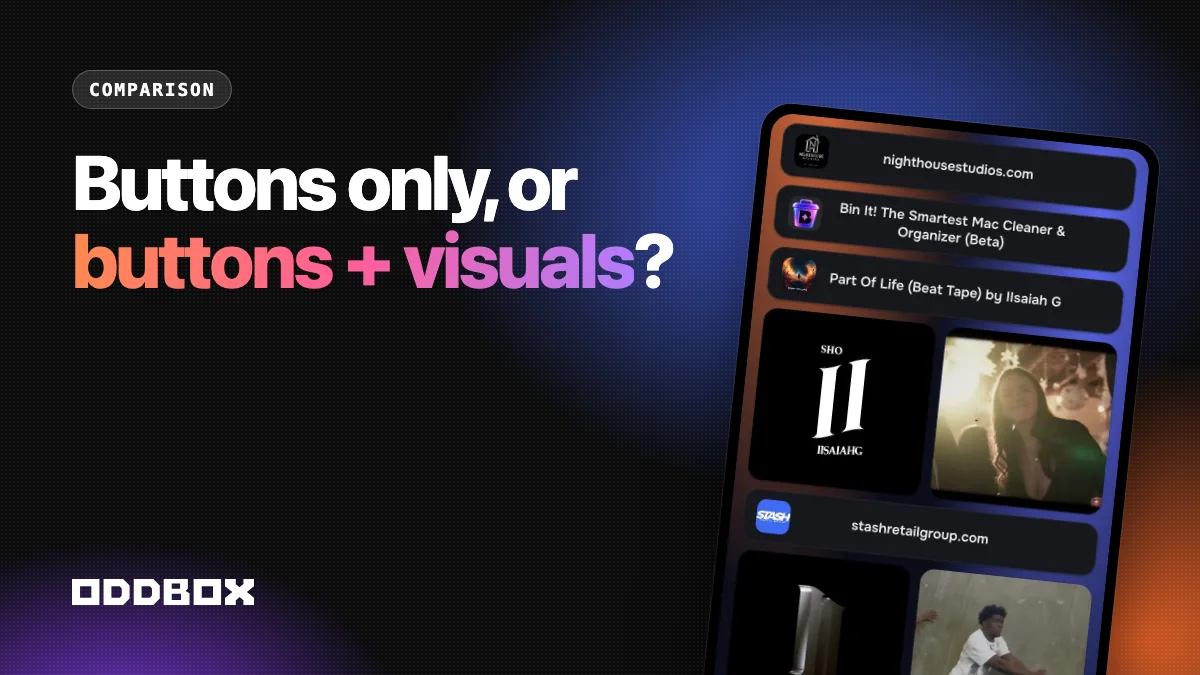
Linktree is built around a list of buttons. ODDBOX gives you that list in Link Mode, lets you mix in visual boxes like videos that play in the list, and adds a full visual grid. If people need to see your work before they tap, ODDBOX gives you more.
We make ODDBOX, so we'll keep this to how the two are built and who each fits. You can check the details on both sites.
The short version
Linktree is a list of buttons. It's quick to set up and familiar to visitors.
ODDBOX does the list too, and goes further. In Link Mode you can mix regular link buttons with visual boxes, so a video plays right between your links, and square or reel videos sit side by side. Switch to the grid and your page becomes a visual layout of tiles in different sizes, with photos, videos, music, maps, and products on the page.
Where ODDBOX gives you more
- Visual content on the page, in the list or the grid.
- Two layouts from one account: Link Mode and the grid.
- A contact form and a media kit on the free plan.
- Import: paste your current page's address and your links come over.
- Export your page any time.
When a plain list is enough
If you only have a few links and nothing to show, a list does the job. ODDBOX's Link Mode covers that too, so you can start simple and add visuals later.
Frequently asked questions
Can I use ODDBOX like Linktree?
Yes. Link Mode is a classic list of link buttons. Add visual boxes whenever you're ready.
Is ODDBOX free?
Yes, with up to 15 tiles on the free plan. Pro is $7 a month.
How do I switch?
Paste your Linktree address when you start an ODDBOX page. Your name, photo, links, and social icons come over automatically.
Try ODDBOX with your current links